How to Register a Bitkub Exchange Account: A Step-by-Step Guide


Learn how to easily create a Bitkub Exchange account. Follow our detailed instructions for a smooth registration process and start trading.
.
Step-by-Step Registration Instructions (Website)
.
1.Visit the Bitkub Website: Go to the official Bitkub website (https://www.bitkub.com/)
.
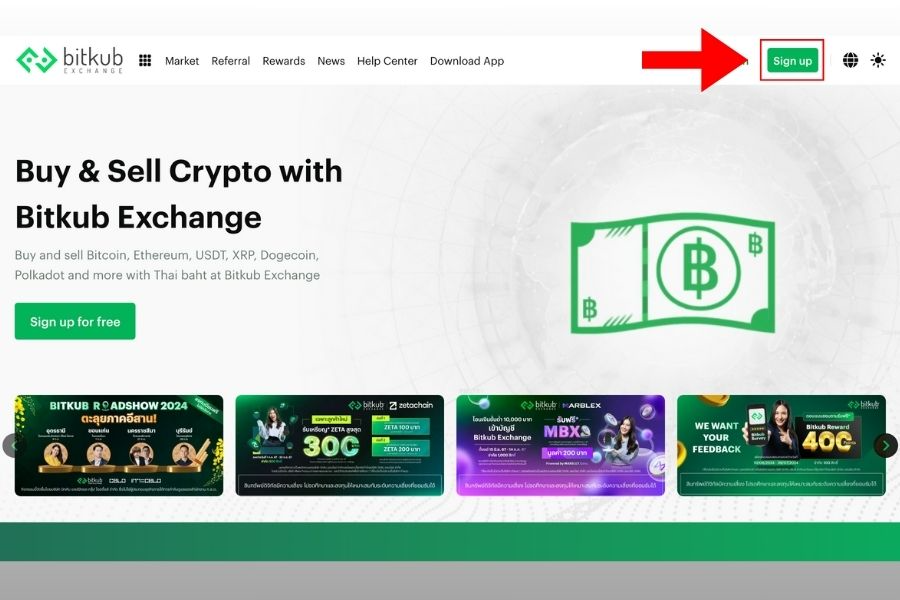
2.Click “Sign Up”: Locate the “Sign Up” button, usually in the top right corner of the homepage.
.
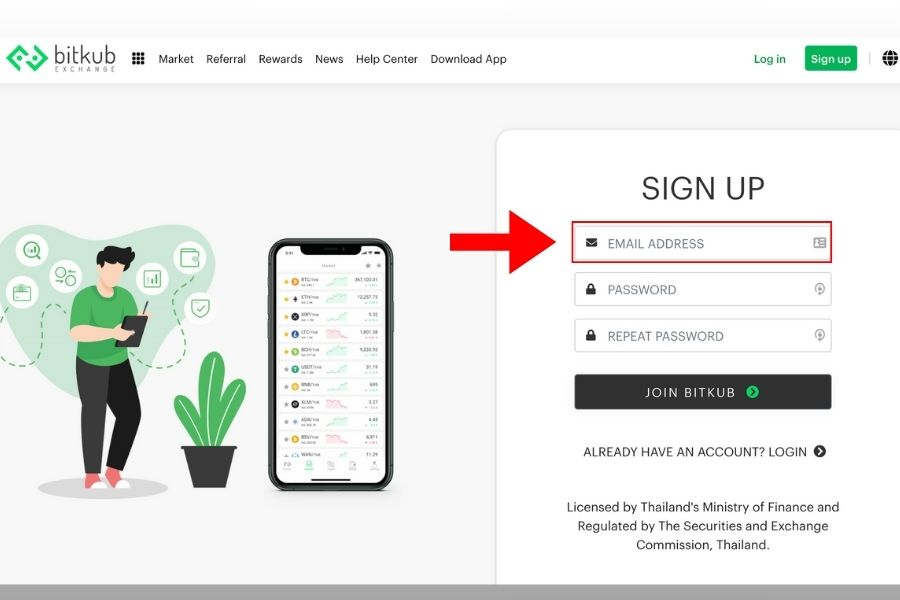
3.Enter Your Email: Provide a valid email address that you have access to.
.
.
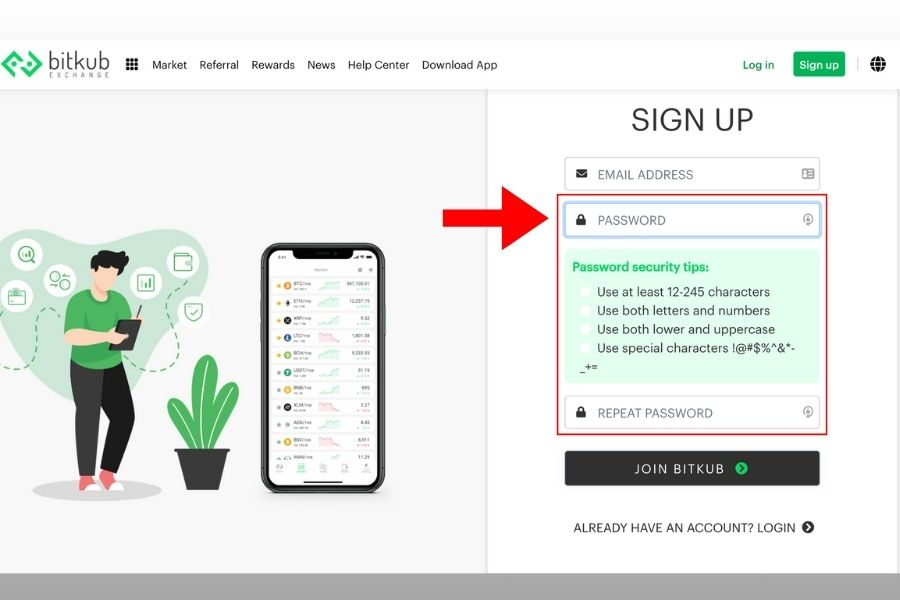
4. Create a Strong Password: Set a secure password that meets Bitkub’s requirements (a combination of uppercase and lowercase letters, numbers, and symbols, of at least 12 characters in length).
.
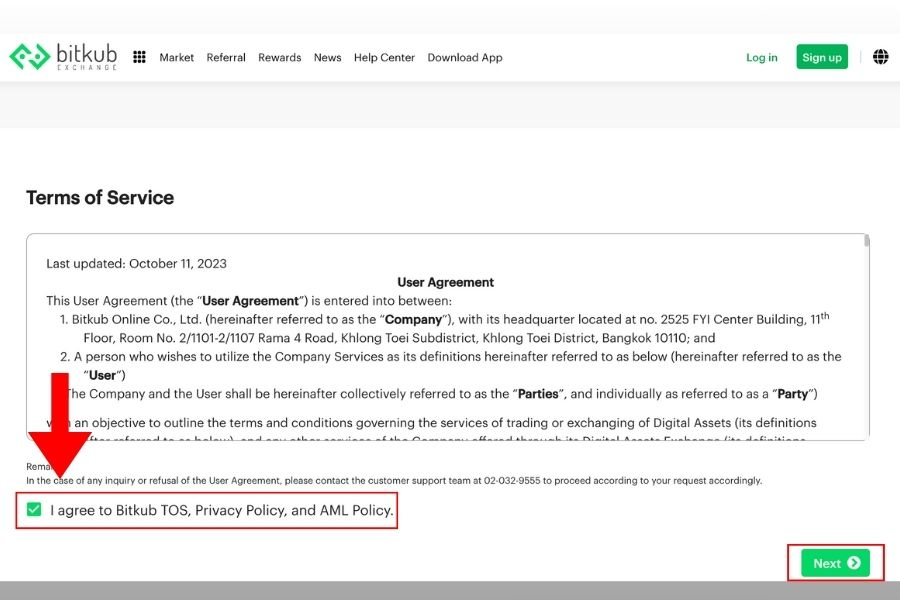
5. Agree to the Terms of Service: Read and accept Bitkub’s Terms of Service, Privacy Policy, and AML Policy.
.
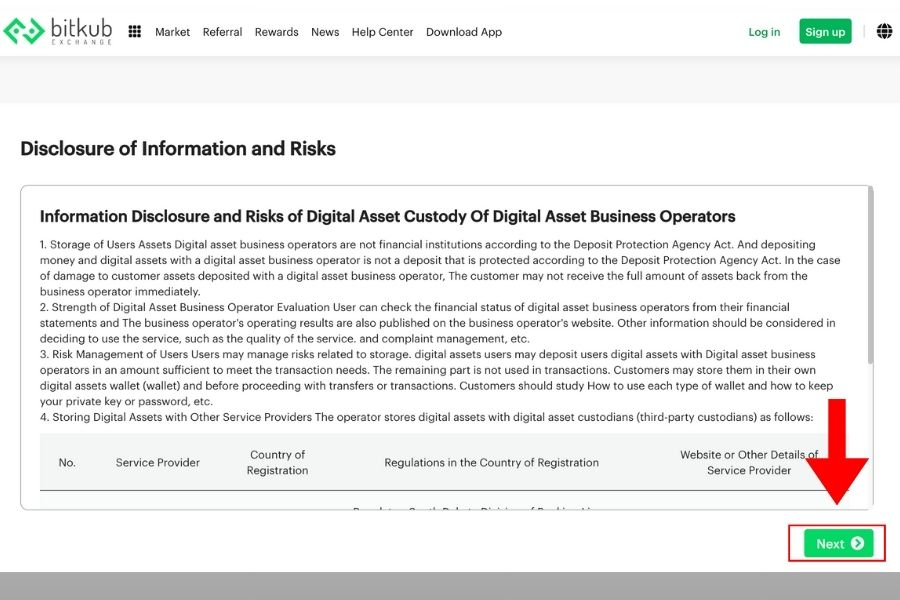
6. Information disclosure: Read the information regarding disclosure of information and risks.
.
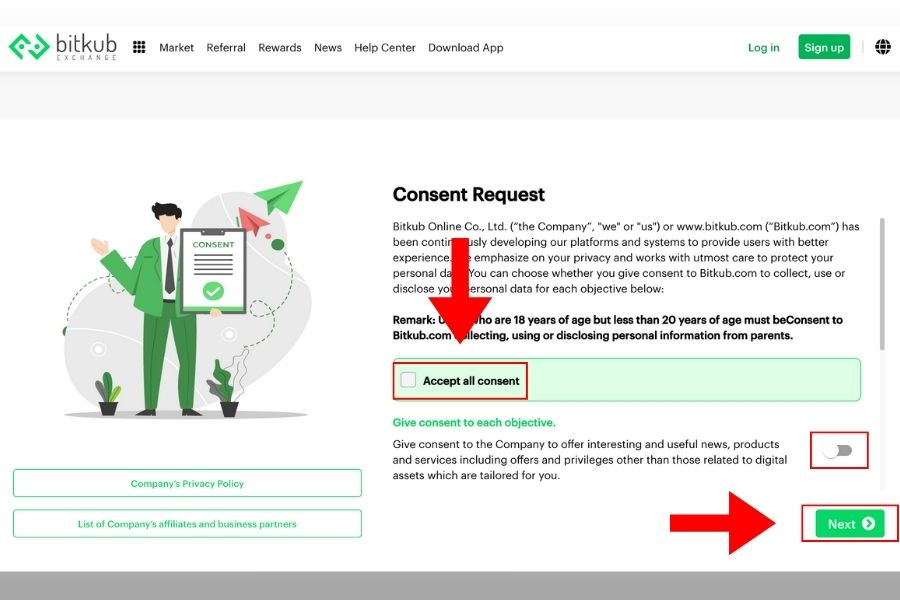
7. Consent request: Read the consent request form. Click “accept all consent” or individually select the objectives in which you consent to.
.
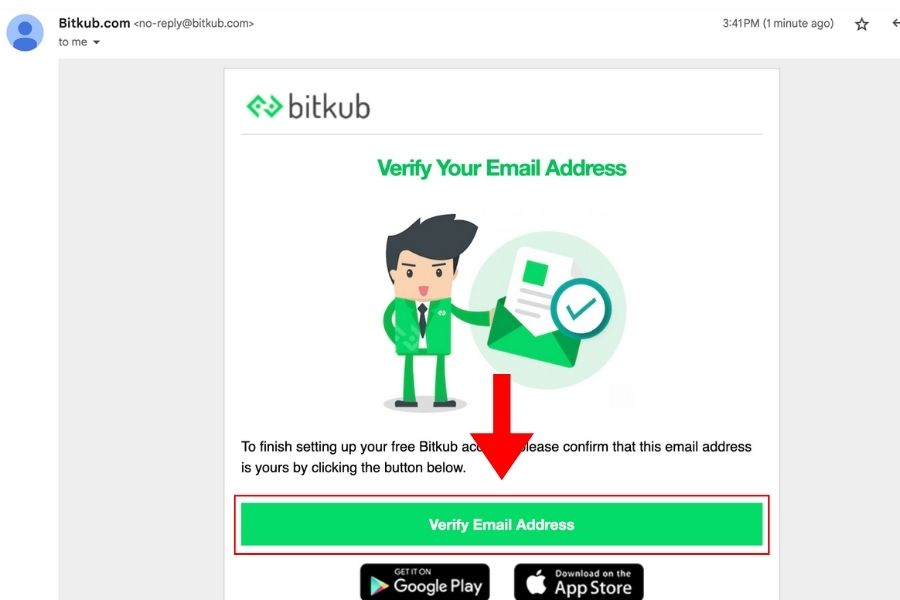
8. Verify Your Email: Bitkub will send a verification link to your email. Click the link that was sent to your email to confirm your account.
.
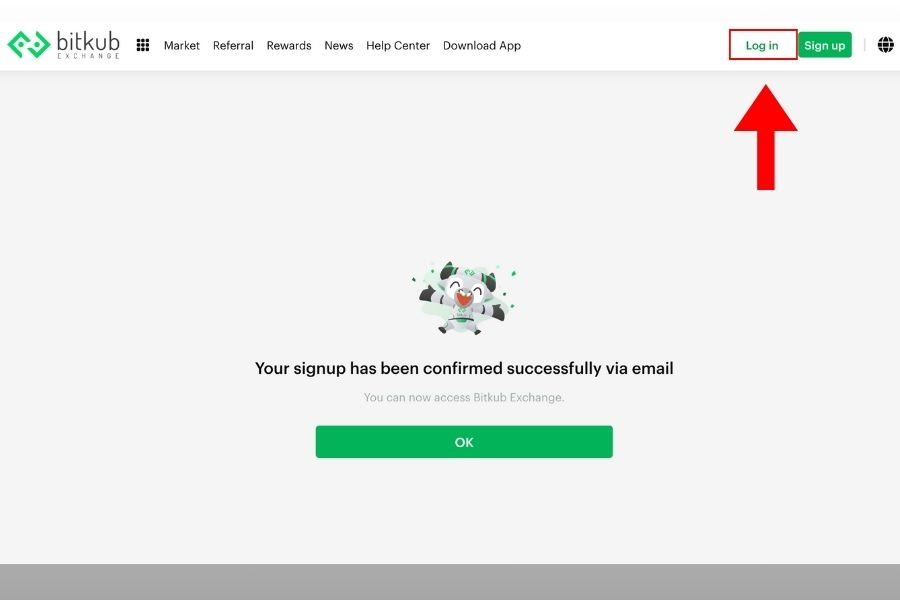
9. Log in : Log in your your Bitkub account by clicking on the “Log in” button, located on the top right of the homepage.
.
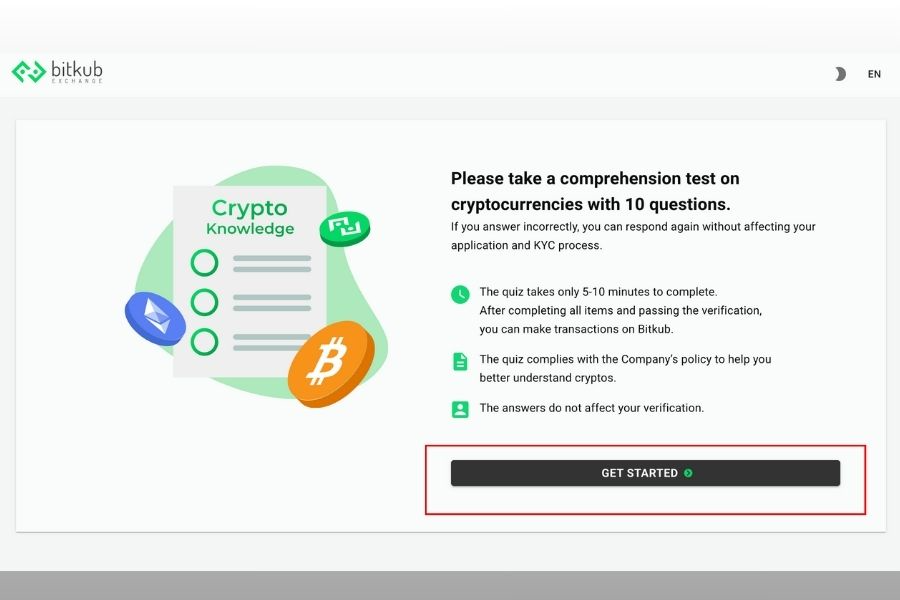
10. Take the cryptocurrency comprehension test: Complete the comprehension test regarding cryptocurrencies. You will need to get all questions correct to proceed.
.
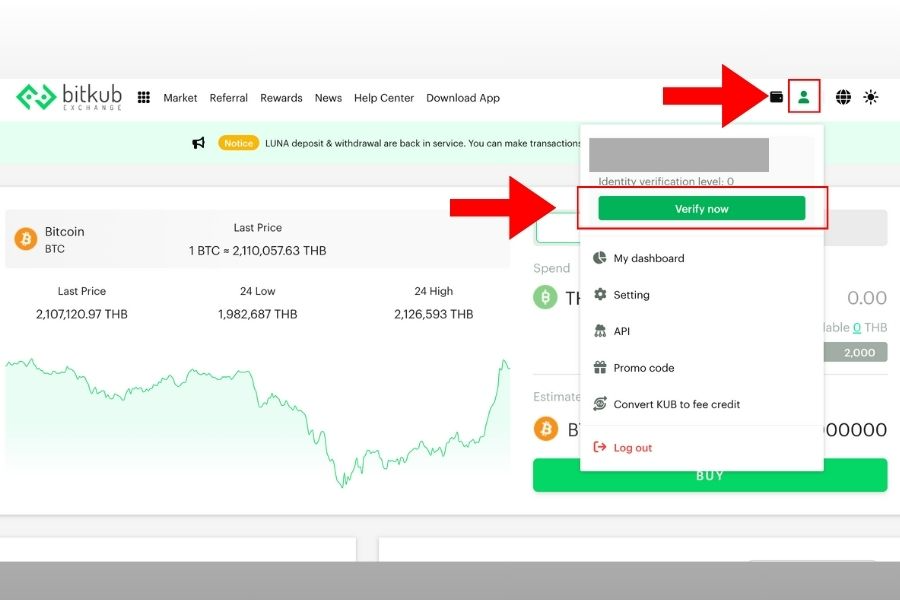
11. KYC : To enable trading on your account, you will need to complete KYC (know your customer) verification. You can complete verification from the following link : (https://www.bitkub.com/en/account/identityverification) or by clicking ‘Verify now’ under the user menu.
If you have any further questions or concerns, please contact us through the channels below for assistance.
.
-Email: [email protected]
-Tel: +66 2–032–9555
.
Related articles:
-Bitkub App: How to Register an Account
-Bitkub Website Beginner’s Guide
-วิธีสมัครแอป Bitkub Exchange (TH/ENG)